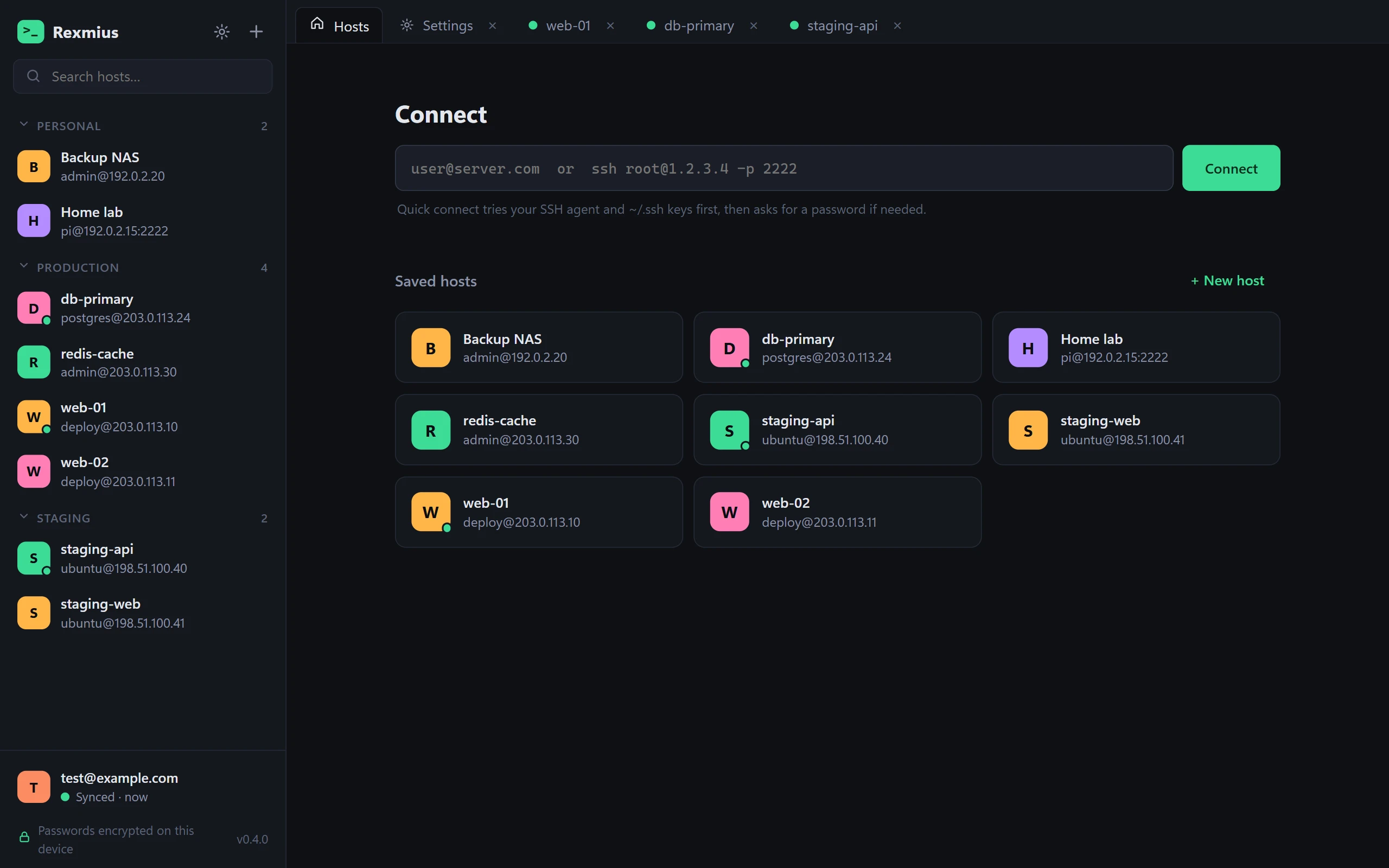
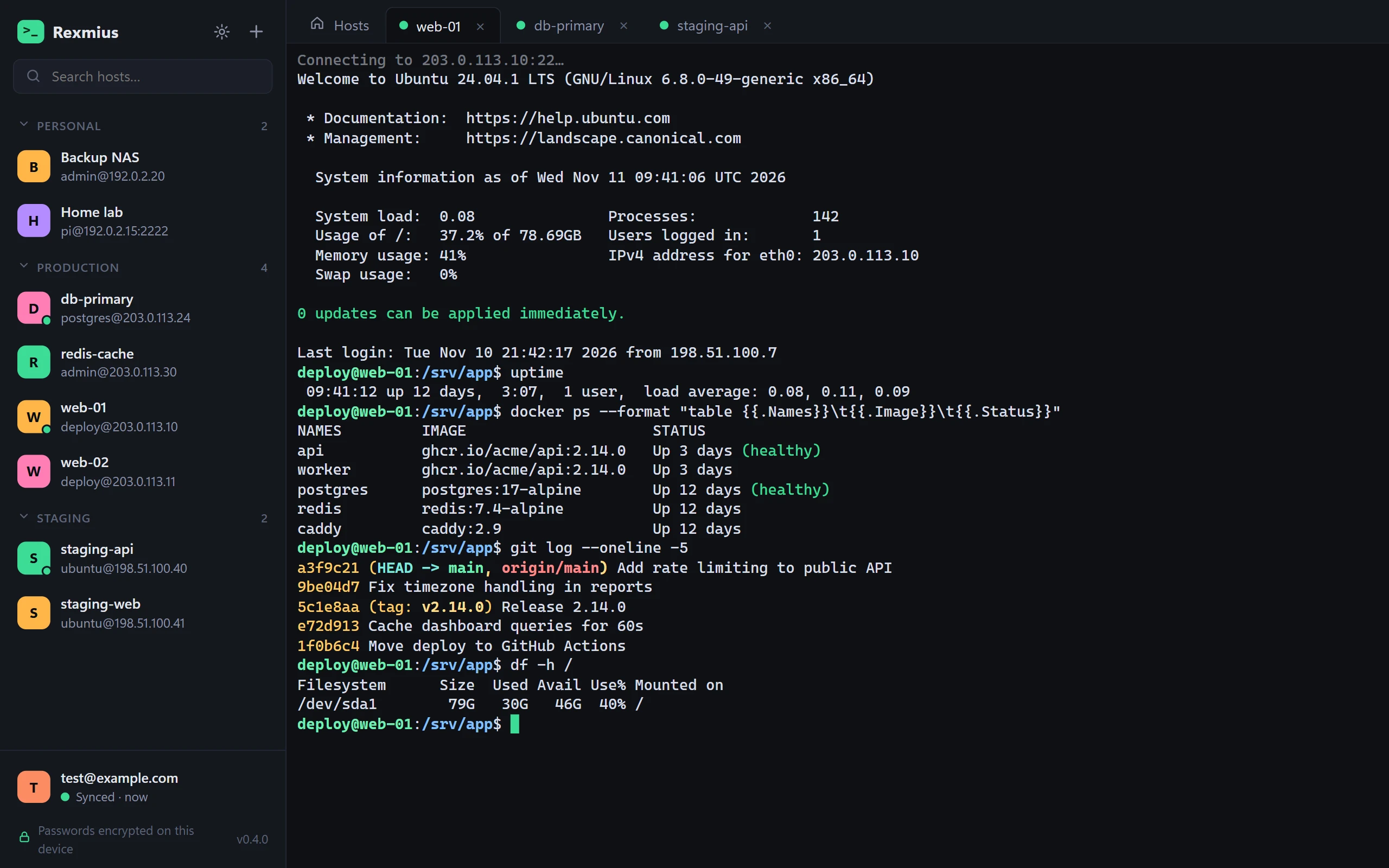
A tab for every server
Open as many sessions as you like, each with a live status dot. Switch with Ctrl+Tab and reconnect with one click.
Windows & macOS · Mobile coming soon
Rexmius is a fast, focused SSH client. Save your servers once, open them in tabs, and get everything back on any computer — end-to-end encrypted with a password only you know.
Windows 10 & 11 (64-bit) · macOS 12 or later on Apple Silicon and Intel
Features
Built for people who live in terminals: the essentials are one click away, and the rest stays out of sight.
Open as many sessions as you like, each with a live status dot. Switch with Ctrl+Tab and reconnect with one click.
Name your servers, file them under Production, Staging or anything you like, and find any of them by typing a few letters.
Paste user@host or a whole ssh [email protected] -p 2222 command. Rexmius tries your SSH agent and keys first.
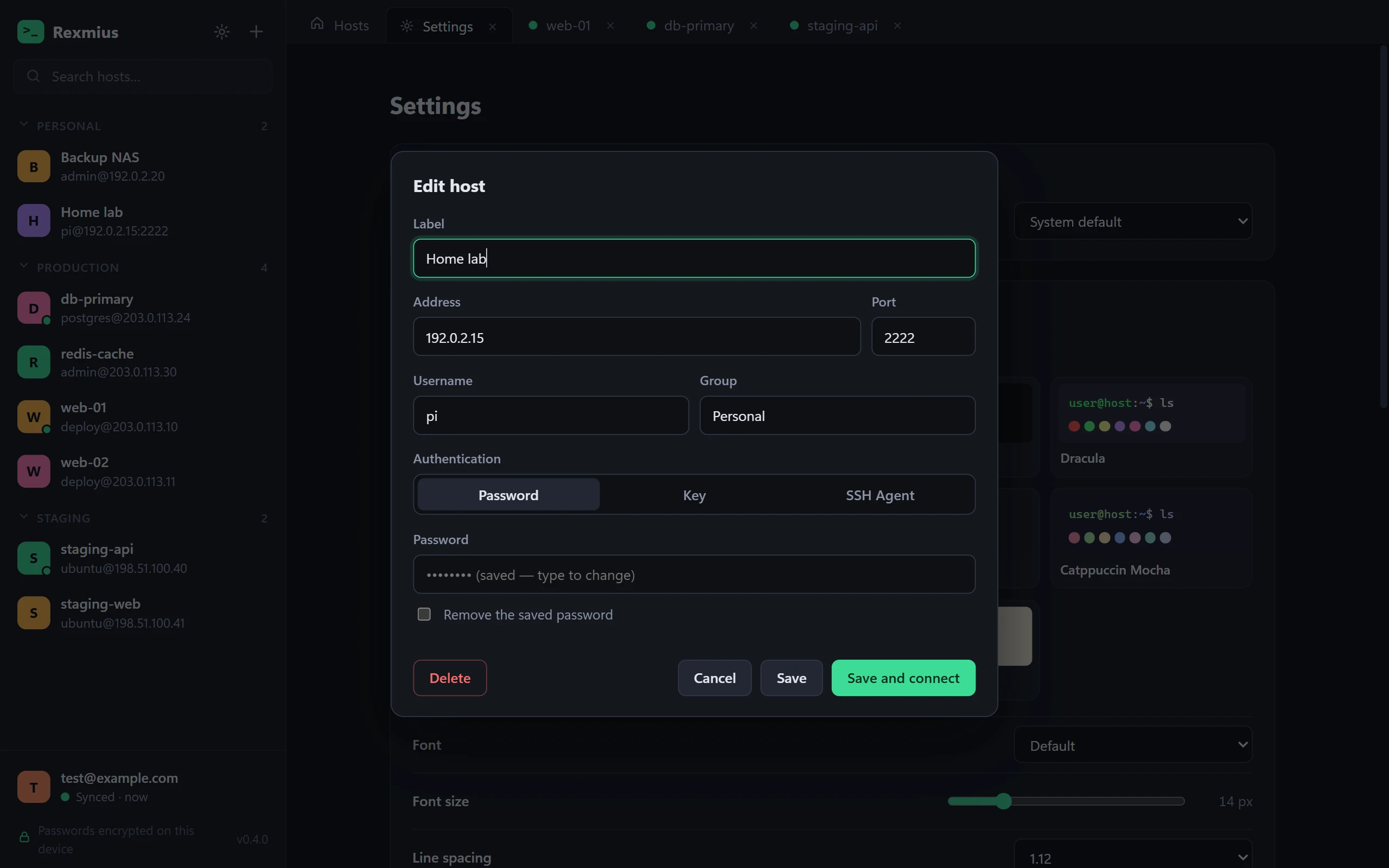
Log in with a password, a private key — passphrase-protected keys included — or your SSH agent. Keyboard-interactive logins work too.
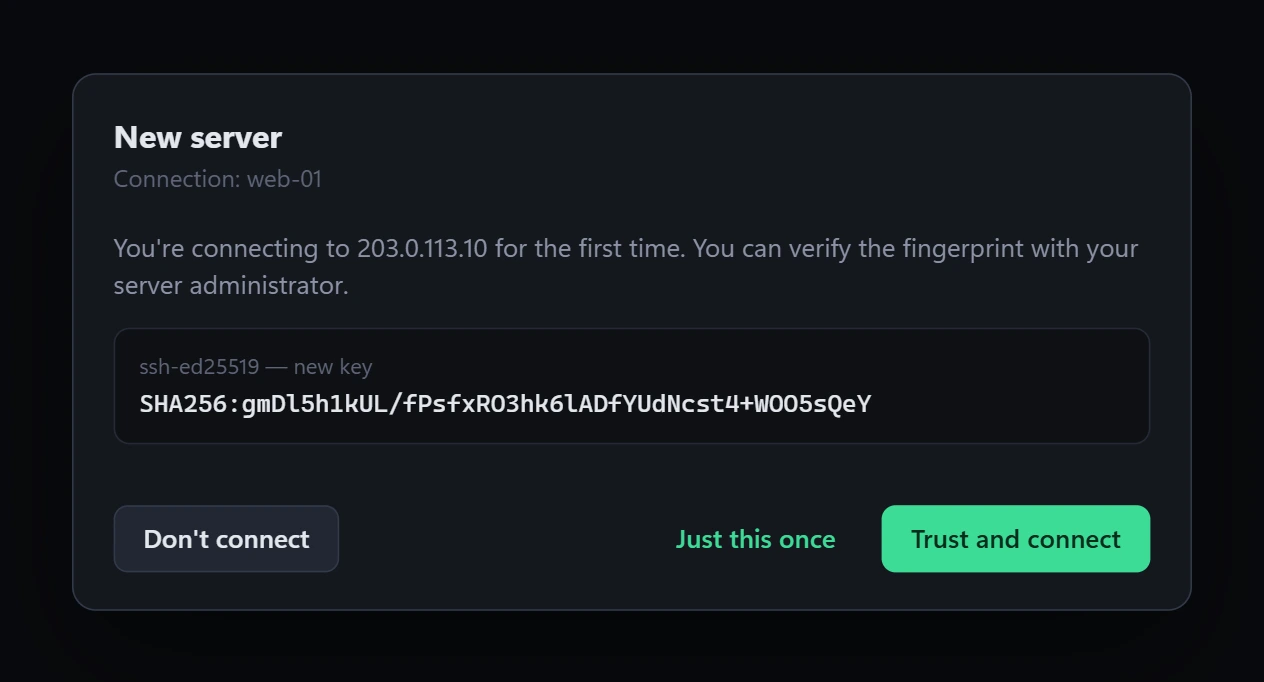
See the server's fingerprint the first time you connect. If a key ever changes, Rexmius stops and warns you instead of carrying on.
Browse a server's files, drag and drop to upload, download folders, rename and delete — with progress, speed and cancel.
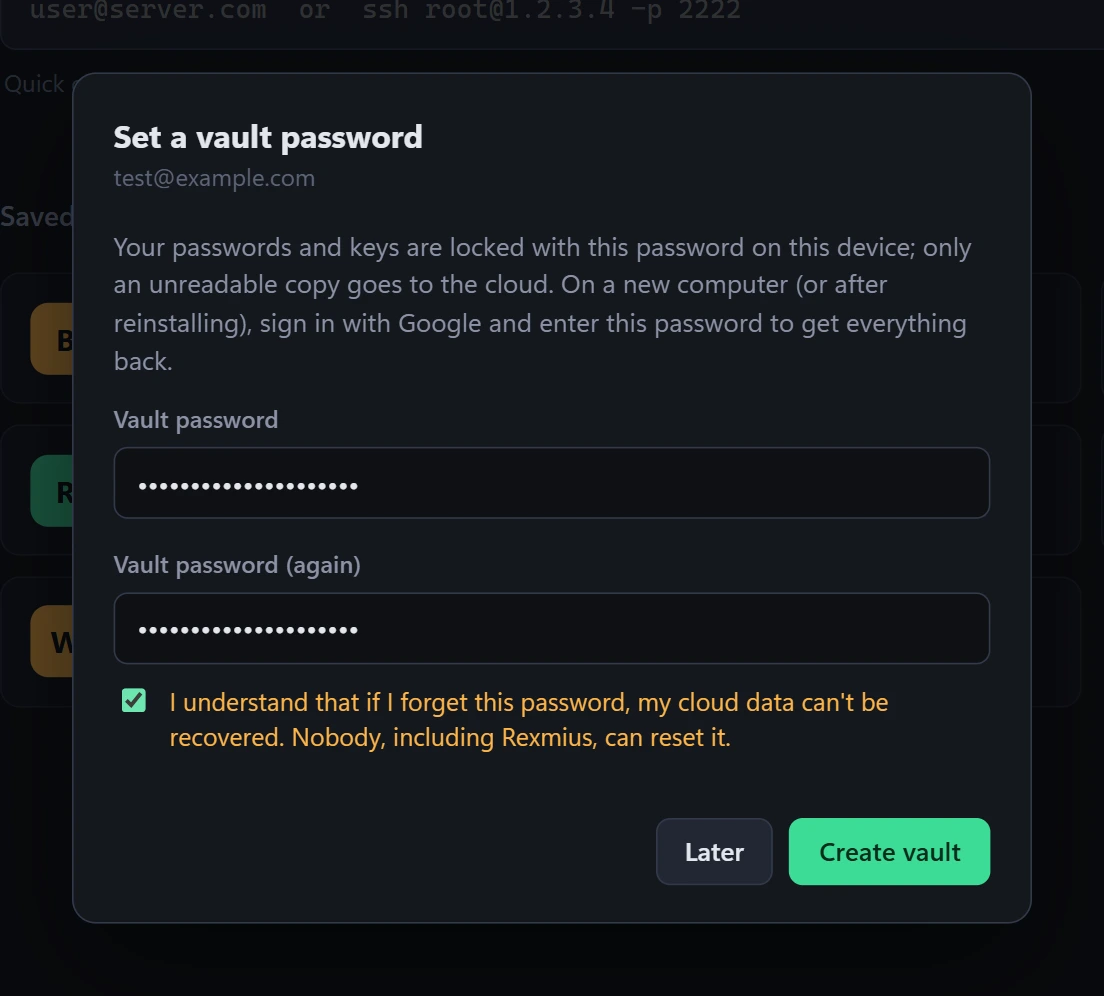
Sign in with Google or email and your hosts follow you to every computer — encrypted before they leave your device.
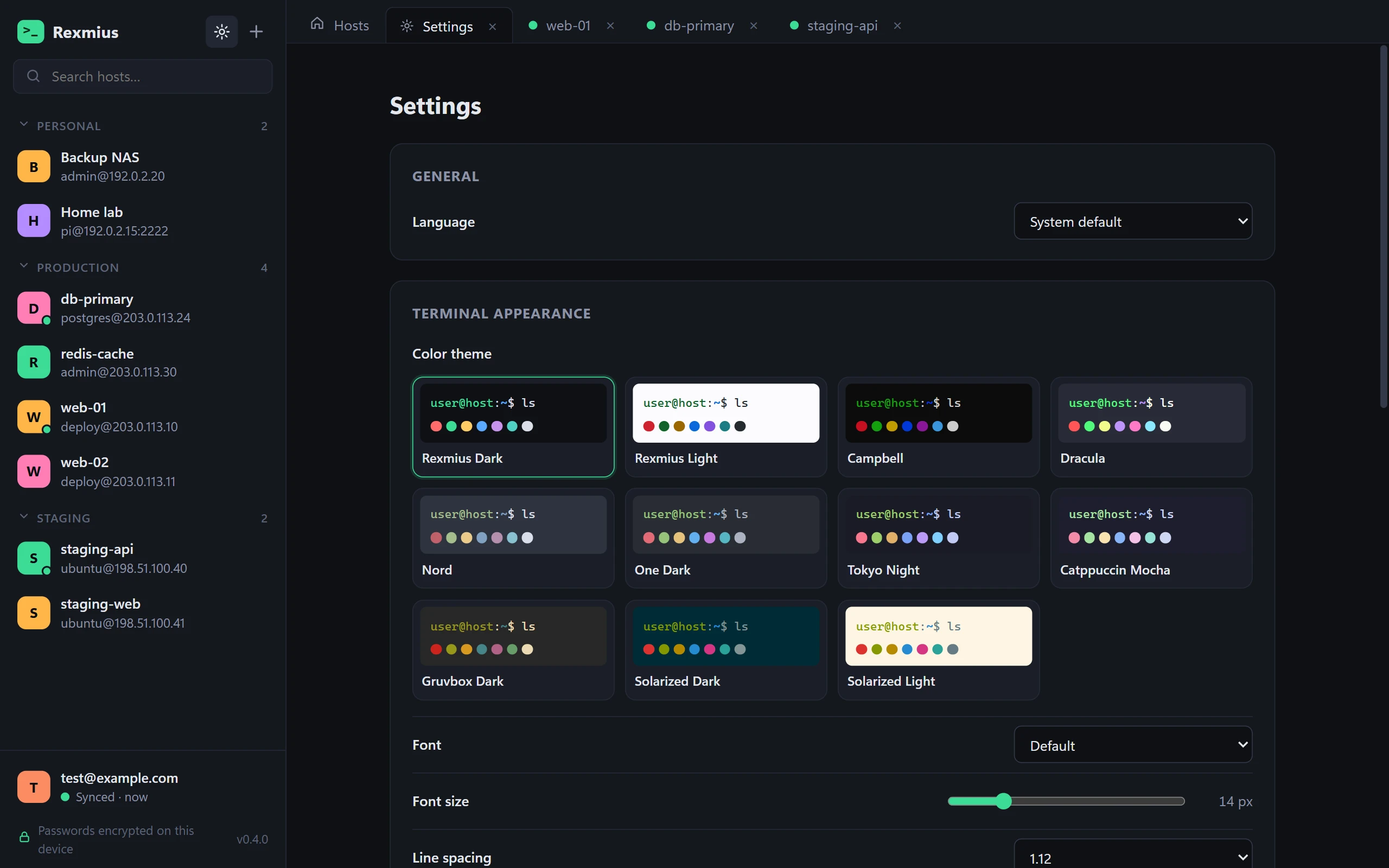
Rexmius Dark and Light, Dracula, Nord, Tokyo Night, Catppuccin, Gruvbox, Solarized and more. Pick a font, size, spacing and cursor.
English, Türkçe, Deutsch, Français, Italiano, Español, Português, Русский, 简体中文, 日本語 and 한국어 — picked from your system automatically.
Encrypted sync
Sign in, set a vault password, and your hosts, passwords and keys are back the moment you sign in on a new machine. The cloud only ever sees ciphertext.
Security
Rexmius treats your servers the way a careful admin would — and keeps your secrets out of reach of everything else.
Make it yours
Eleven color themes, eight fonts, adjustable size and line spacing, three cursor styles — previewed live as you change them.
Take a look
Download
Free for Windows and macOS. Rexmius keeps itself up to date after you install it.
Phones and tablets
Coming sooniPhone and iPad
Coming soonMobile apps are on the way. Want a note when they're out? Write to [email protected].
FAQ
No. Rexmius works fully without one — your hosts are saved on your computer. An account (Google or email) is only needed if you want encrypted sync between computers.
No. With sync on, everything is encrypted on your device with a key derived from your vault password before it's uploaded. We only store ciphertext we have no way to decrypt. Without sync, nothing leaves your computer at all.
It can't be recovered — that's the price of real end-to-end encryption, and why Rexmius asks you to confirm you understand before creating a vault. Hosts already saved on your computers are not affected.
Yes, SmartScreen shows this for new apps it hasn't seen often yet. Click More info, then Run anyway. You only need to do this once.
Yes. Rexmius for Mac is signed with our Apple Developer ID and notarized by Apple, so it opens like any other app: drag it to Applications and double-click. Updates install from inside the app.
Rexmius checks rexmius.com for new versions and tells you when one is ready. Before installing, it verifies the release's Ed25519 signature and file checksum, and it never installs an older version over a newer one.
We're working on them. Email [email protected] and we'll let you know when they're ready. Your synced hosts will be waiting.